Liquid Lock Screen: KaLock
3D Viet HaPersonalization
3.411.00 Reviews
- Version
- 0.1.11
- Installs
- 500.00K
- Age Rating
- Everyone
Screenshots
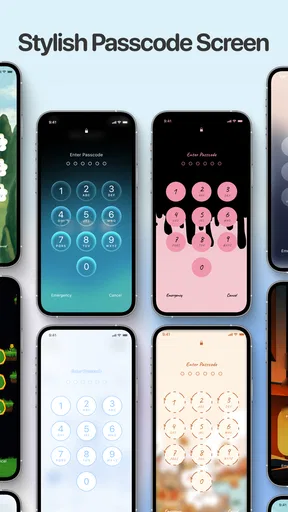
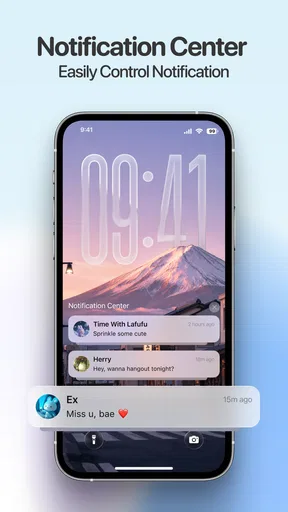
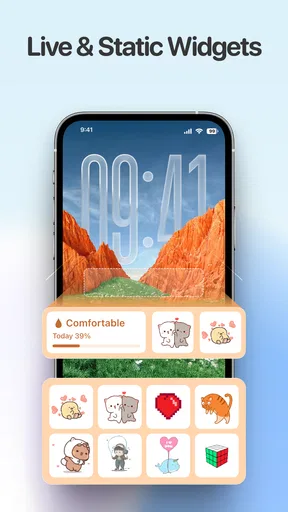
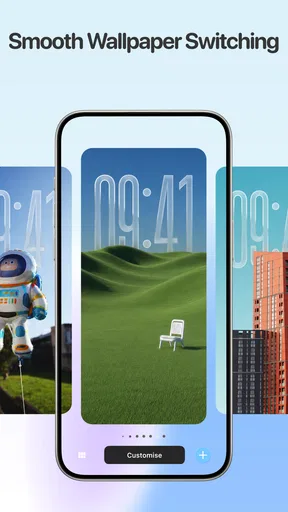
Our Review of Liquid Lock Screen: KaLock
 Analysis by Appyee
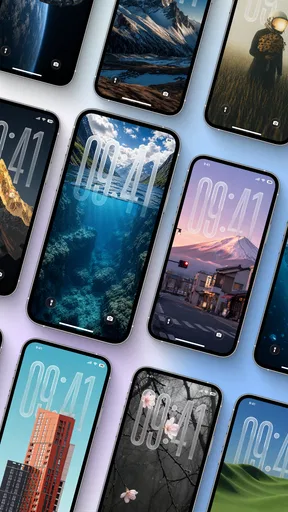
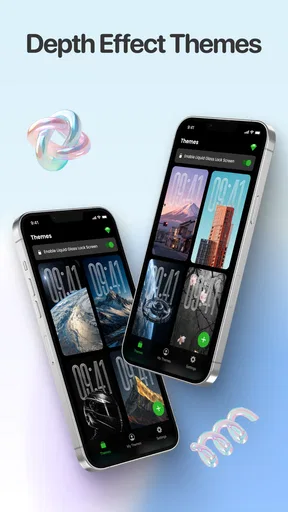
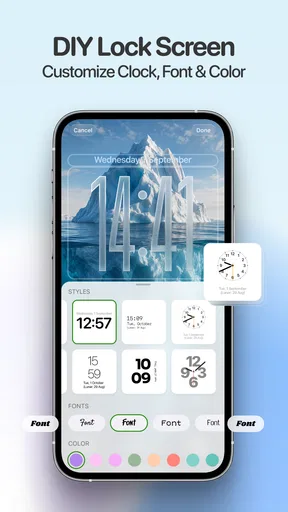
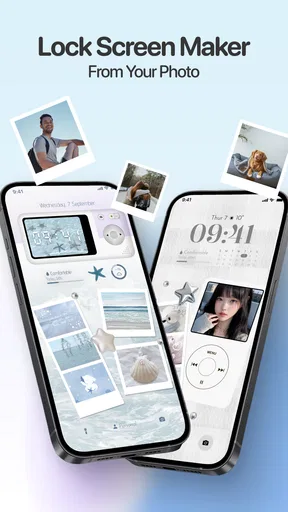
I spent time with Liquid Lock Screen: KaLock as a personalization app, focusing on the part that matters most in daily use: whether it actually makes the lock screen feel more personal without turning a simple task into a maintenance project. Its approach is built around themes, depth-effect wallpapers, and widgets, so it is aimed at people who want more character than the standard lock screen offers.
My first impression is that KaLock is easier to understand than many customization tools. You are not choosing a complete phone launcher or replacing every visual element at once. Instead, the app concentrates on the screen you see before unlocking. That narrower purpose is useful if you like your home screen exactly as it is but still want a more distinctive first glance whenever you pick up your phone.
The app is free to install, with optional purchases ranging from $0.99 to $29.99 per item. It is made by 3D Viet Ha and is suitable for Everyone. The current release is 0.1.11, and it runs on Android 6.0 or later. Those details make it approachable for a broad range of Android users, although the experience may naturally feel different depending on the phone and its software version.
What I looked for before recommending it
When I judge a lock-screen customization app, I do not start with the number of themes. I first ask whether the result is readable, whether changing the design is quick enough to become a habit, and whether the extra visual effects improve the phone or merely make it busier. A lock screen is seen many times a day, often for only a few seconds, so small annoyances become noticeable quickly.
I also look at how well the app fits different kinds of users. Someone who wants a dramatic visual change has different priorities from someone who only needs a cleaner background and a useful widget. KaLock makes the most sense for the first group and for people who enjoy adjusting the look of their device. It is less compelling for anyone who regards the lock screen as something to configure once and then forget.
Another decision point is how much control you need. Some Android users prefer the built-in wallpaper and lock-screen tools because they are predictable and closely tied to the phone’s system. Others want a dedicated catalog of visual ideas and are willing to trade a little simplicity for more personality. KaLock sits in that second camp. Its value comes from the experience of choosing and combining visual elements, not from replacing every system setting.
The visual idea is more useful than it first sounds
The depth-effect wallpaper concept is the most interesting part of the package for me. A flat wallpaper can look fine, but a sense of layering gives the lock screen a stronger focal point. The practical trick is to choose an image with one obvious subject rather than a crowded scene. A person, animal, vehicle, or architectural detail usually gives the effect more visual purpose than a pattern filled with tiny objects.
This is also where restraint matters. If the main subject sits directly behind the clock or notification area, the lock screen can become harder to read. I found it better to think of the wallpaper as a composition rather than a decorative picture: leave breathing room around the information you check most often, then let the depth effect add emphasis around the edges. That workflow is more reliable than selecting the most dramatic image available.
The widgets are another reason to consider the app, but I would not treat them as automatically useful just because they are available. A widget earns its place when it helps you make a quick decision, such as checking a piece of information without unlocking the phone. If it only adds another layer of color and text, it can work against the clean appearance that makes a lock screen pleasant.
A realistic everyday setup
Imagine using your phone during a busy morning. You pick it up to check the time, glance at a notification, and put it down again while getting ready for work or school. In that situation, a good KaLock setup would use a wallpaper with a clear subject, a widget that supports a quick glance, and enough empty space for the clock and alerts. The goal is not to show everything at once; it is to make the first screen feel intentional.
Later, you might switch to a more expressive theme for the weekend. That is where a dedicated personalization app can be more enjoyable than the standard system tools. The change becomes a small ritual rather than a technical task. I can see KaLock appealing to people who like seasonal moods, color changes, or visual themes connected to hobbies without wanting to redesign the entire Android interface.
There is a useful trade-off here. A highly decorated lock screen may feel fresh for a few days, but it can become tiring if the information hierarchy is poor. I recommend starting with one theme and one widget, using it through normal routines, and only adding more elements when you know what is missing. This is a more effective way to judge the app than trying to fill every available space immediately.
Where KaLock has the clearest advantage
KaLock’s strongest position is between two extremes: the basic tools already included with a phone and much broader customization systems that affect the whole interface. If your only need is changing a wallpaper, the built-in option may be enough. If you want a coordinated lock-screen look with themed visuals, depth styling, and widgets, a focused app is more convenient than assembling each part separately.
I also like the fact that its purpose is immediately visible. You do not need to learn a complete launcher system before seeing why you might use it. That makes it a reasonable starting point for someone who has never customized a lock screen beyond changing a photograph. The app’s concept is easy to explain to a friend: make the first screen on your phone look more deliberate and add a little glanceable information.
The free entry point helps with that decision. You can approach it as an experiment rather than committing money before knowing whether the style suits you. The optional purchases mean that the most attractive or useful parts may not all belong to the free experience, so I would judge the no-cost setup first. If the basic presentation already feels cluttered or unconvincing, buying more content is unlikely to solve the underlying problem.
Its audience reach is also notable. With over 500 thousand installs and an average rating of 3.4 from around 1.6 thousand ratings, the app has attracted a meaningful group of Android users while still showing that it is not a universally perfect fit. I read that combination as a reason to keep expectations measured: there is enough interest to make the concept worth exploring, but the rating suggests that personal taste, device behavior, or polish may affect satisfaction.
Small choices that make the experience better
My first practical tip is to design around the clock and notifications, not around the wallpaper alone. Before applying a theme, imagine where your eyes will land when the phone is locked. If the main subject competes with the time, choose a different crop or a calmer image. This simple check prevents the most common failure of decorative lock screens: looking attractive in a preview but inconvenient in real use.
Second, change one variable at a time. Start with the wallpaper, then evaluate the depth effect, and only afterward add a widget. If you change everything together, you will not know which element improves the result and which one causes clutter. This method is especially helpful on smaller displays, where a theme that looks balanced in a selection screen may feel crowded once the system information appears.
Third, keep a practical fallback in mind. A visually ambitious lock screen is not always right for every situation. If you are traveling, working outdoors, or checking the phone in bright light, a simpler design may be easier to read. KaLock is more enjoyable when treated as a flexible visual layer rather than a permanent commitment. The best setup is the one you can live with during ordinary moments, not just the one that looks impressive in a screenshot.
When another approach may suit you better
The usual alternative is the Android system’s own personalization controls. They are the better choice if you value minimum setup, familiar behavior, and a lock screen that stays close to the phone maker’s design. Someone who changes a wallpaper once every few months probably does not need a separate app centered on themes and visual experimentation.
A launcher or a full interface customization tool is another category to consider, but it serves a different purpose. Those products are more appropriate when you want to alter icons, home-screen layouts, gestures, and broader navigation habits. KaLock is a narrower choice. That focus is an advantage for a lock-screen enthusiast, but it will feel limited to anyone expecting a complete Android makeover.
There is also a case for using a personal photo with the built-in tools. If your priority is a family picture, a travel memory, or a minimalist color field, a dedicated theme catalog may add more choice than you actually need. KaLock becomes more persuasive when you want a designed visual treatment rather than simply placing an image behind the clock.
I would also be cautious if your phone already has a manufacturer lock screen with distinctive widgets or depth-style options. In that situation, the app must offer a visual direction you genuinely prefer, because switching away from familiar system behavior can introduce friction. I would not install it merely because customization sounds appealing; I would install it because the available themes and layered presentation match your taste better than what your phone already provides.
The real cost is not only the purchase price
Because the app is free with optional purchases, the financial barrier is relatively easy to test. The more important cost is attention. Every additional customization choice can create another decision: which theme to use, whether a widget is worth keeping, and whether the lock screen still feels readable after an update or a change in routine.
The purchase range matters for a different reason. A low-cost item can be an easy way to try a particular style, while an expensive individual item deserves more thought. I would avoid buying several designs before using one for a few normal days. A theme that looks exciting during setup may not be the one you want to see repeatedly when you are checking the time in a hurry.
Switching back is also part of the decision. Before experimenting, remember what your current lock screen looks like and which parts of it you rely on. If you use a particular information arrangement, recreate that priority after applying a theme. This is not a complicated process, but it prevents the common feeling that customization has made the phone less convenient.
Version 0.1.11 gives the app a relatively early-stage feel in my assessment, so I would approach it as a product that may still evolve rather than as a finished replacement for every built-in option. That does not make it unusable. It simply means I would pay attention to how consistently the visual setup behaves on my own phone before making it central to my daily routine.
Who should try it first
I would recommend KaLock to Android users who enjoy visual changes but want to keep their existing home screen. It is particularly suitable for someone who likes themed wallpapers, wants to experiment with a layered look, and appreciates the idea of checking selected information without unlocking immediately. The free starting point makes it easier to explore that style without treating the decision as permanent.
I would be more hesitant to recommend it to a person who wants a completely hands-off phone. If you prefer the lock screen to remain invisible as a design element, the app may feel unnecessary. The same applies if you need extensive control over the entire interface, because a focused lock-screen tool will not replace a full launcher or system-level customization suite.
It is also not the right choice simply because a phone feels boring. First identify what you want to improve. If the issue is the wallpaper, KaLock may help. If the issue is unreadable notifications, awkward unlocking, icon organization, or system behavior, another category of tool is likely a better answer. Matching the app to the problem is more important than adding customization for its own sake.
My recommendation after weighing the trade-offs
My recommendation is to try KaLock if the lock screen is the part of Android you most want to personalize. Its combination of themed presentation, depth-effect wallpapers, and widgets gives it a clear identity, and the dedicated focus makes it easier to explore than a full interface overhaul. I especially like the possibility of building a setup that feels expressive while leaving the rest of the phone untouched.
I would start conservatively: choose a readable theme, keep the main subject away from the clock, add only a widget that serves a real purpose, and use the result during an ordinary week. That test will tell you more than a quick preview. If the screen remains attractive and useful when you are rushing, commuting, or checking notifications in poor conditions, then the app has earned a place on your device.
For me, the decision comes down to priorities. KaLock is a good fit when visual personality and quick lock-screen changes matter more than absolute simplicity. The built-in Android tools remain better for a quiet, dependable setup, while broader customization apps make more sense for a complete redesign. If you want a more expressive first screen without rebuilding your whole phone, KaLock is worth exploring; if you want to configure once and never think about it again, stay with the system option.
Overall, I see it as a focused personalization experiment rather than an essential utility. Its free availability lowers the risk, its concept is easy to understand, and its best results come from thoughtful choices rather than piling on effects. I would recommend giving it a fair trial, but I would only pay for additional items after confirming that the visual style remains comfortable in everyday use.
Verdict
Strengths of Liquid Lock Screen: KaLock
- Creates a distinctive lock screen with fluid animation effects.
- Offers a more personalized alternative to standard system lock screens.
- Can make unlocking feel more visually engaging and interactive.
- Lightweight concept that focuses on one main customization feature.
- Useful for users who enjoy experimenting with unusual interface styles.
Limitations of Liquid Lock Screen: KaLock
- May require sensitive lock-screen or accessibility permissions to work properly.
- Animated effects could consume more battery than a static lock screen.
- Compatibility may vary across Android versions and device manufacturers.
- Extra lock-screen layers can occasionally interfere with system shortcuts.
- The novelty may wear off quickly for users seeking practical features.
Similar Picks in This Category
View All
Microsoft SwiftKey AI Keyboard
SwiftKey4.3

Wallpapers
Google LLC4.1

Zedge™ Wallpapers & Ringtones
Zedge4.7

Yandex Browser with Alice AI
Direct Cursus Computer Systems Trading LLC4.3

Ringtone Maker:create ringtone
Big Bang Inc.4.7

Fonts Keyboard
Fonts Keyboard3.9
Frequently Asked Questions
What is Liquid Lock Screen: KaLock and how does it work?
Liquid Lock Screen: KaLock is a customization app that gives your device’s lock screen a fluid, animated appearance. After installation, you can apply liquid-style visuals, adjust available effects, and preview how the lock screen looks before using it. The exact experience may vary by Android version and device, especially because the app needs permission to display its lock-screen interface correctly.
Is Liquid Lock Screen: KaLock safe to install and use?
Before installing Liquid Lock Screen: KaLock, download it only from a trusted store and review the permissions requested during setup. Apps that replace or appear over the lock screen may require access to display over other applications, notifications, or device settings. These permissions can be necessary for the main features, but users should still check the developer information, privacy policy, and recent reviews before granting access.
Does KaLock replace my phone’s original lock screen?
KaLock is designed to provide an alternative lock-screen experience, so it may appear in place of, or on top of, your phone’s default lock screen depending on the device configuration. Some phones may continue showing the system lock screen first, while others may display the app’s design more directly. It is best to test the app carefully and keep your original security method enabled.
Can I still use a PIN, password, fingerprint, or face unlock?
The app’s visual lock-screen features should not be treated as a replacement for Android’s built-in security. For reliable protection, keep a system PIN, password, pattern, fingerprint, or face-unlock method configured in your device settings. Depending on the phone and Android version, KaLock may work as a decorative or interactive layer while the system remains responsible for authenticating access to your personal data.
Will Liquid Lock Screen: KaLock affect battery life or phone performance?
Animated liquid effects can use more battery and system resources than a static wallpaper or the standard lock screen, particularly on older phones or devices with limited memory. During testing, users should watch for increased battery consumption, delayed unlocking, or occasional visual glitches. If performance suffers, reduce animation intensity, disable unnecessary effects, or remove the app through the device’s settings.
